What you'll achieve By the end of this guide, you will know how to use offset-based pagination in GraphQL queries.
Prerequisites: TerminusDB running on
localhost:6363with the Star Wars dataset cloned. If you haven't done this yet, follow the Explore a Real Dataset tutorial (Steps 1–2), or run:curl -u admin:root -X POST http://localhost:6363/api/clone/admin/star-wars \ -H "Content-Type: application/json" \ -H "Authorization-Remote: Basic cHVibGljOnB1YmxpYw==" \ -d '{"remote_url": "https://data.terminusdb.org/public/star-wars", "label": "Star Wars", "comment": "Star Wars dataset"}'
Once you have cloned the database, go to the GraphQL icon (triangle in hexagon) on the left hand side and select the filing cabinet icon.
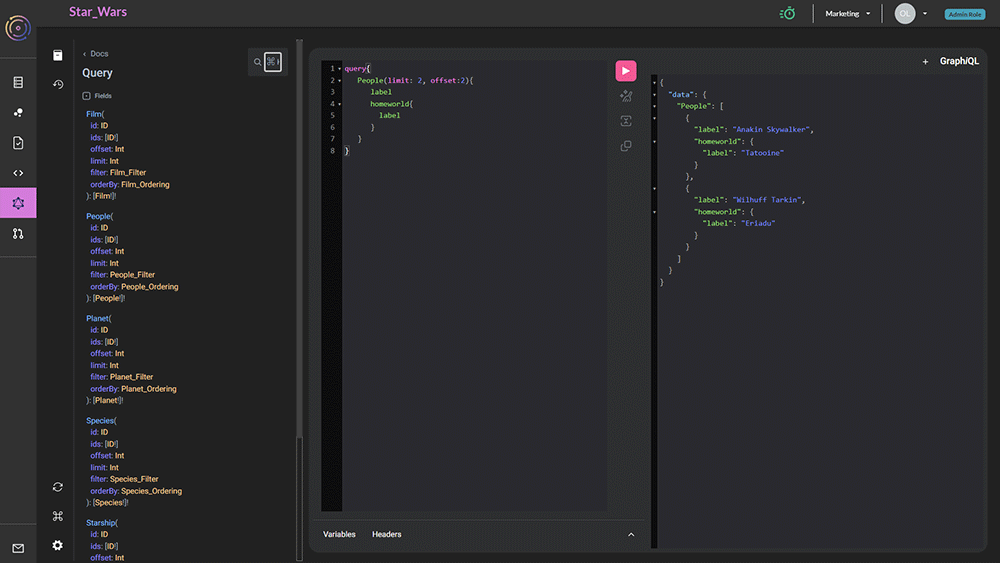
There are two panels, one on the left for query, and one on the right for results.
Adding an offset
The offset keyword is most often used with the limit keyword which when used together enable paging of results.
For instance, we can get exactly 5 people from the star-wars universe by specifying the query here:
query{
   People(limit: 5){
      label
   }
}
This will result in
{
  "data": {
    "People": [
      {
        "label": "Luke Skywalker"
      },
      {
        "label": "Obi-Wan Kenobi"
      },
      {
        "label": "Anakin Skywalker"
      },
      {
        "label": "Wilhuff Tarkin"
      },
      {
        "label": "Chewbacca"
      }
    ]
  }
}
If we then want to get the next page of data we can write:
query{
   People(limit: 5, offset: 5){
      label
   }
}
This will result in:
{
  "data": {
    "People": [
      {
        "label": "Han Solo"
      },
      {
        "label": "Greedo"
      },
      {
        "label": "Jabba Desilijic Tiure"
      },
      {
        "label": "Wedge Antilles"
      },
      {
        "label": "Jek Tono Porkins"
      }
    ]
  }
}