Prerequisites
- TerminusDB running locally — see Docker setup for instructions
- A database with commit history
What you'll achieve By the end of this guide, you will know how to query your database at any previous point in time.
It is possible in the DFRNT TerminusDB cloud dashboard to time travel to any previous commit to examine the data and schema. This is particularly useful if you want to see what something looked like at a particular date, or if something has broken and you want to see when the last stable state was so you can revert back to it.
Time travel is each to do. From any screen when viewing a project (apart from the project home page), you will see a stopwatch symbol in the top bar.
Select this and a panel will appear from the right.
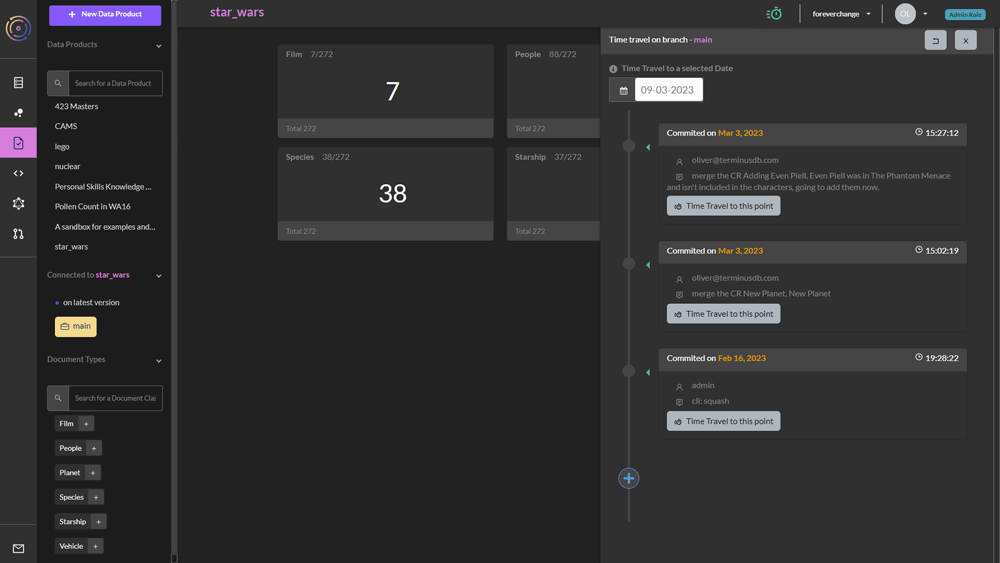
Each commit in the list features the comments from the merged change request.
Travel back in time by selecting the button next to the commit you want to go back to.
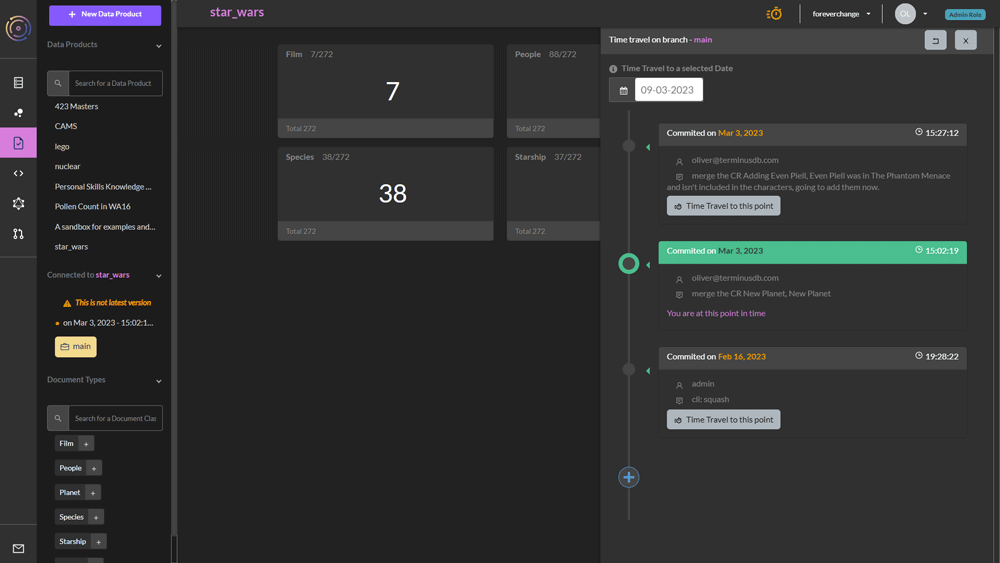
The dashboard informs you that you are not on the latest version.
You can then go an inspect the data in your project and the schema to see what's changed.