Prerequisites
- A DFRNT Hub account or TerminusDB with the dashboard
- A data product with documents
What you'll achieve By the end of this guide, you will know how to use the JSON editor to view and edit documents.
Make a New Data Product
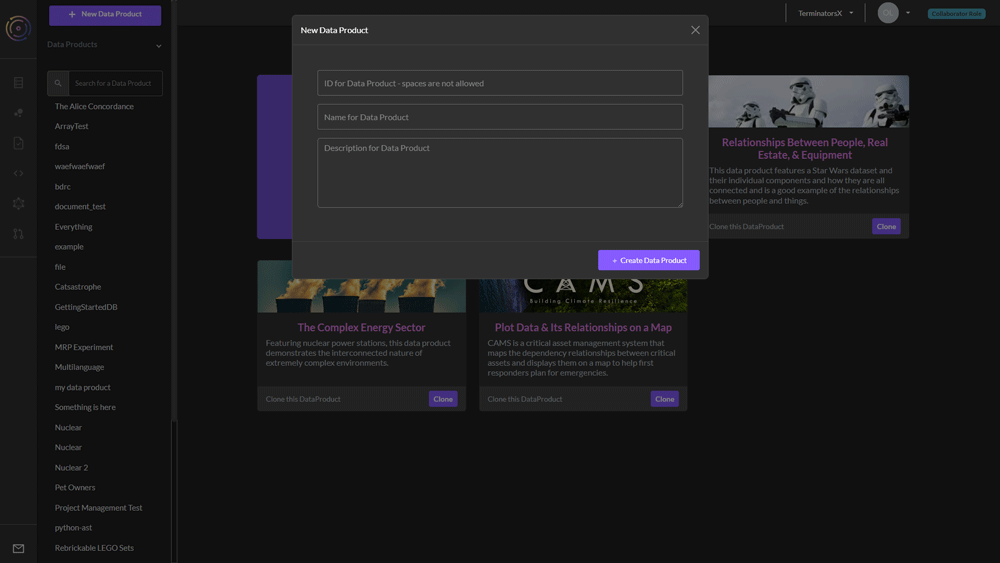
First, log in to DFRNT TerminusDB cloud, choose (or create) a team, and then click on "New Data Product".
Create a schema as JSON
Now click on the pink bubbles on the left panel. This takes you to the schema builder page. Select JSON view from the tab and you'll see your entire schema as JSON.
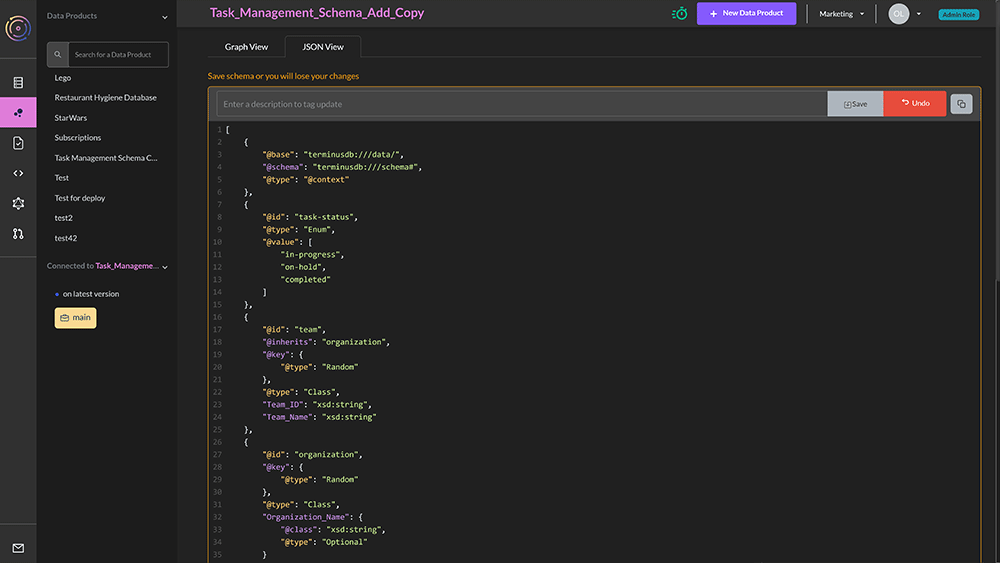
If you click on the Edit button in the upper right-hand corner, you'll be able to directly edit the schema.
If you have no data in your database, it should be possible to freely edit the schema. However, if you have data, then you may not be able to make arbitrary edits. The schema editor will warn you upon submission if some restrictions are violated.
Essentially it should always be possible to weaken the schema safely through the interface. However, other changes will require schema migration.